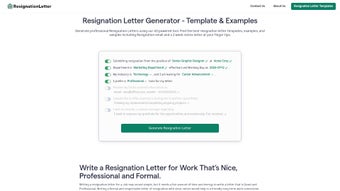

Download Resignation Letter Generator – free AI resignation letter creator, professional templates, easy online tool
Overview
The Resignation Letter Generator is a cloud‑based, AI‑driven web application designed to eliminate the stress of drafting a professional resignation letter. Whether you are a seasoned manager, a junior analyst, or a freelance contractor, the tool walks you through a step‑by‑step workflow that captures essential details such as your name, current role, employer information, and intended last day of work. By selecting your industry, preferred tone (formal, friendly, or neutral), and the type of communication you need—email, printed letter, or a concise two‑week notice—you receive a polished draft in seconds.
The generator also suggests courteous gratitude statements, offers to assist with transition, and provides optional placeholders for future contact details. Although it does not support multiple languages or offline editing, the platform excels at producing clear, concise, and legally sound resignation letters that respect both the employee’s professionalism and the employer’s expectations. The intuitive interface, combined with AI‑powered language suggestions, makes it an indispensable tool for anyone who wants to leave a job on good terms without spending hours perfecting wording or worrying about formatting errors.
Key Features
- AI‑Generated Drafts: Instantly creates a complete resignation letter based on the information you provide.
- Multiple Templates: Choose from email, printed letter, and two‑week notice formats.
- Industry & Role Customization: Tailors language to fit tech, healthcare, finance, education, and more.
- Tone Selector: Select formal, friendly, or neutral tone to match your relationship with the employer.
- Gratitude & Transition Sections: Built‑in suggestions for thanking your manager and offering transition help.
- Step‑by‑Step Guidance: On‑screen tips guide you through entering personal and company details.
- Instant Preview & Download: View the final letter in real time and download as PDF or copy to clipboard.
- Secure Data Handling: All personal information is encrypted during the session and not stored after the letter is generated.
- Responsive Design: Works on desktop browsers, tablets, and smartphones.
- Free Basic Access: No credit‑card required for the core functionality; premium add‑ons available for branding and custom signatures.
Installation, Usage & Compatibility
How to Get Started
Because the Resignation Letter Generator is a web‑based service, there is no traditional installation required. Simply open your preferred browser, navigate to the official URL, and click the “Start” button. The platform automatically detects your device and adjusts the layout for optimal readability.
Step‑by‑Step Workflow
- Enter Personal Details: Provide your full name, email address, and contact phone number.
- Company Information: Input the employer’s name, address, and the manager’s name.
- Job Specifics: Choose your industry, role, and the exact resignation date.
- Select Format & Tone: Pick between email, printed letter, or two‑week notice, then choose a tone that reflects your relationship.
- Customize Content: Add optional gratitude lines, transition offers, or any personal messages you wish to include.
- Review & Edit: The AI generates a draft; you can edit directly in the browser if needed.
- Download or Copy: Save the final letter as a PDF, or copy the text to paste into your email client.
System Compatibility
The generator runs on any modern web browser, including Chrome, Firefox, Safari, and Edge. It is fully compatible with Windows 10/11, macOS Ventura and later, Linux distributions, as well as mobile operating systems such as Android 12+ and iOS 15+. Because the tool is cloud‑hosted, it requires an internet connection for the AI engine to process your inputs, but no additional software downloads or plug‑ins are necessary.
Pros, Cons & Frequently Asked Questions
Pros
- Fast, AI‑driven letter creation saves time.
- Multiple professional templates for different communication channels.
- Customizable tone and industry‑specific language.
- Secure, no‑storage policy protects personal data.
- Responsive design works across all devices.
Cons
- No offline mode; requires an internet connection.
- Lacks multilingual support for non‑English users.
- Limited deep customization beyond the preset fields.
- Premium features (branding, custom signatures) are behind a paywall.
- AI suggestions may need final human review to ensure legal compliance in certain jurisdictions.
FAQ
Is the Resignation Letter Generator really free?
Yes, the core functionality—including all templates, AI drafting, and PDF download—is completely free. Optional premium add‑ons, such as custom branding or multi‑letter packs, are available for a modest fee.
Can I use the tool on a mobile phone?
Absolutely. The web app is built with a responsive design that adapts to smartphones and tablets running Android or iOS. All features, including template selection and PDF download, work seamlessly on mobile browsers.
How does the AI ensure the letter is legally sound?
The AI follows best‑practice wording used in professional resignations and avoids legal jargon. However, it does not replace legal advice. Users in regulated industries should review the final draft with a legal professional before sending.
Is my personal information stored after I close the browser?
No. The application encrypts data during the session and automatically deletes all inputs once the page is refreshed or closed. No personal data is retained on the server.
Can I customize the letter beyond the provided fields?
You can edit the generated text directly in the browser before downloading. This allows you to add custom paragraphs, adjust wording, or insert additional contact details that the tool does not capture automatically.
Conclusion & Call to Action
In today’s fast‑paced job market, leaving a role on good terms is as important as landing the next opportunity. The Resignation Letter Generator provides a hassle‑free, secure, and professional way to craft a resignation message that reflects gratitude and maintains your reputation. While it lacks offline capability and multilingual support, its AI‑driven drafting, industry‑specific templates, and responsive design make it a standout free tool for anyone who wants to exit gracefully. Ready to write a polished resignation letter in minutes? Visit the Resignation Letter Generator now, fill in your details, and download a ready‑to‑send draft—free, secure, and instantly downloadable.






